Inside the adventure. Select the image for a closer look.
Read the scene again, freely.
LOOK, L and LOOK AROUND repeat your surroundings without costing health or a turn. Examining an object, searching or looking under or behind something is an action and still takes a turn. Rejected commands don't cost you a turn.
Choose your next move.
Type a short instruction, such as SOUTH or EXAMINE NEWSPAPER or choose a suggested command below the story. The available exits appear beside the location name. New responses are brought into view; you can scroll back to reread earlier text.
Talk and keep track.
Use TALK TO or ASK when you meet someone. Use TAKE to pick up an object. Your pockets hold two useful objects at a time. The Notes tab records discoveries as you make them.
Save before taking a risk.
Your current position saves automatically in this browser. Save also gives you three separate checkpoints that survive a death, restart or new game. Use Load to return to a checkpoint. Continue in the same browser and device; clearing browser storage can remove your saves.
PORTRAITS & OBJECT CARDS
A picture is
one click away.
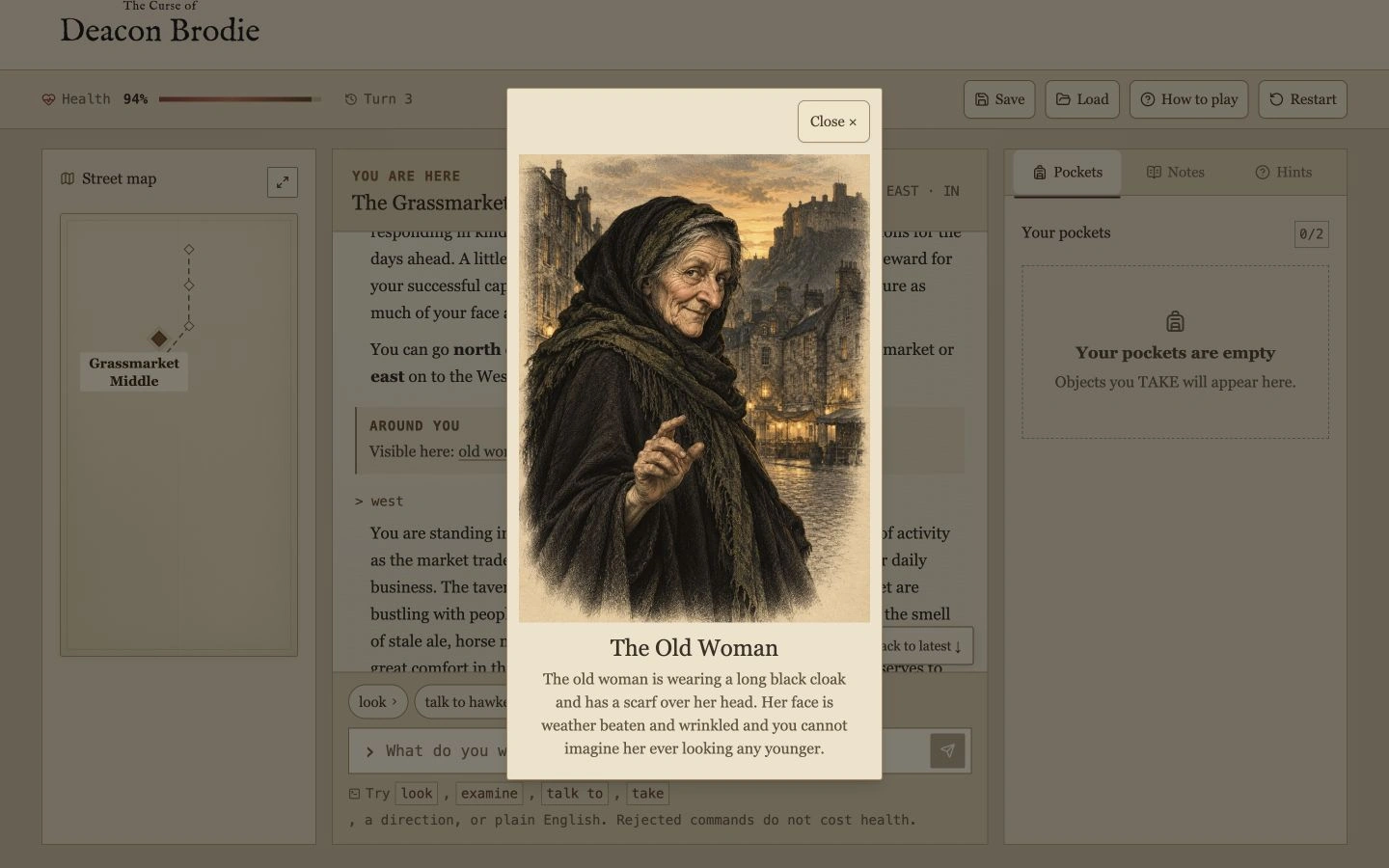
A little picture icon beside a name means there is an illustration to open. The card shows the character or object with its description.
A character portrait, with the description from the adventure.An object card. Opening the picture does not examine or take the object.
HELP ALREADY INCLUDED
Your map and hints
are part of the game.
The map reveals the places and connections you have reached. Hints offers up to two clues for your current situation, one at a time.
Type HELP for a compact command list, or open How to play inside the game. The optional separate PDF walkthrough is for players who want the full solution.
Hints are included in the game price. Reveal them only when you want help.
ON YOUR PHONE
The story stays
within reach.
Scroll inside the story window to read earlier text. The command box stays below it, ready for your next move. Use Back to latest when you want to return to the newest response.
The Menu button opens Save, Load, How to play and Restart. The bottom toolbar opens Map, Pockets, Notes and Hints. Close a panel to return to the story.
The story and commands.The map, opened from the toolbar.
PRACTICAL QUESTIONS
Before you start.
What if I don’t know the right command?
Use the suggested commands below the scene, or type HELP. Try short instructions such as LOOK, EXAMINE NEWSPAPER or SOUTH. If a command is rejected, it does not cost health.
Can I lose or get stuck?
Yes. There are dangerous encounters and deliberately bad bargains. Save a checkpoint before taking risks. You can load a checkpoint or start a new game if a route goes wrong.
Can I stop and come back later?
Yes. Your current position and checkpoints stay in the browser where you played. Use the same browser and device to continue. Clearing its storage can remove those saves.
What happens after I pay?
A confirmed game purchase takes you into the adventure. This device remembers access for 180 days. To return on another device, request an email link from Return to my game. Purchase recovery does not move your saved progress.
Can I play on my phone?
Yes, in a modern phone browser. You can choose suggested commands or type your own. You need an internet connection to load the game and confirm access.
Do I need to buy any of the books?
No. Both are optional PDF extras. The complete adventure and built-in hints are included in the game price.
THE CASE IS OPEN
Can you clear your name?
Get the complete adventure for one payment. Explore all 24 locations with built-in hints, a discovered map and protected saves.